
Takes Download
Takes is downloading.
The first time you open it, macOS stops it once. These three steps get you past that. It takes about a minute.
Did the download not start? Download Takes.dmg
-
1
Drag Takes to Applications
Open Takes.dmg from your Downloads. In the window that opens, drag the Takes icon onto the Applications folder.
-
2
Open Takes, then click Done
Open Takes from Applications. macOS says it can't check Takes. Click Done.
Don't click Move to Trash. And it has to be this first try: the button in step 3 shows up only after it.
-
3
Click Open Anyway
Open System Settings and click Privacy & Security. Scroll down to Security and click Open Anyway.
Click Open Anyway again in the box that asks, and enter your Mac password. Takes opens, and macOS doesn't ask again.
Open Privacy & SecurityThen click Finish setup in the Takes sidebar.
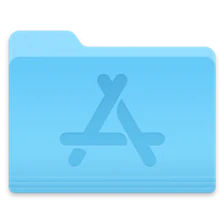 Applications
Or skip all of this
Paste this in Terminal instead. macOS doesn't stop it, and it also installs ffmpeg and, if you have no agent yet, Claude Code.
Why the extra step? Apple charges $99 a year to check an app. Takes is free and Apple hasn't checked it yet. All of its code is open on GitHub, so you can read what it does.