
Takes Script timer
Script timer: how long will your script take to say?
This free timer from Takes for Mac gives the answer: at a normal 150 words a minute, a one-minute script is about 150 words. Paste yours to time it at your pace and see if it fits Shorts, Reels, LinkedIn and TikTok.
Paste your script
Speaking time
0:00
- YouTube Shortsup to 3:00
- Instagram Reels3:00 to reach new people
- LinkedInup to 15:00 (10:00 in the app)
- TikTokup to 30:00
Nothing leaves this tab. Words are counted by the spaces between them.
Words per length
How many words for 30 seconds, 1 minute or 3.
On camera, a speaker says about 130 to 160 words a minute.
- Find your video length in the first column.
- Pick the column for your pace.
- Write your script to that word count.
| Video length | Calm, 130 wpm | Normal, 150 wpm | Fast, 170 wpm |
|---|---|---|---|
| 15 seconds | 32 | 38 | 42 |
| 30 seconds | 65 | 75 | 85 |
| 45 seconds | 98 | 112 | 128 |
| 1 minute | 130 | 150 | 170 |
| 90 seconds | 195 | 225 | 255 |
| 2 minutes | 260 | 300 | 340 |
| 3 minutes | 390 | 450 | 510 |
| 5 minutes | 650 | 750 | 850 |
Rounded to the nearest word. Leave a second or two at the start and the end.
Platform limits
How long each video can be.
From each platform's own help pages, checked 27 October 2026.
| Platform | Longest video | Good to know | Words at 150 wpm |
|---|---|---|---|
| YouTube Shorts | 3 minutes | Square or vertical frame | 450 |
| Instagram Reels | 20 minutes | Over 3 minutes is not recommended to new audiences | 450 to reach new people |
| 15 minutes from a computer | 10 minutes from the LinkedIn app | 2,250 | |
| TikTok | 30 minutes | When you upload in TikTok Studio | 4,500 |
Sources: YouTube Help, Instagram Help Center, LinkedIn Help, TikTok Support. Limits change: check before a big upload.
Then
From the right length to a posted video.
-
1Time it here
Cut until the time fits where you post.
-

2Read it
The online teleprompter opens with your script and pace.
-
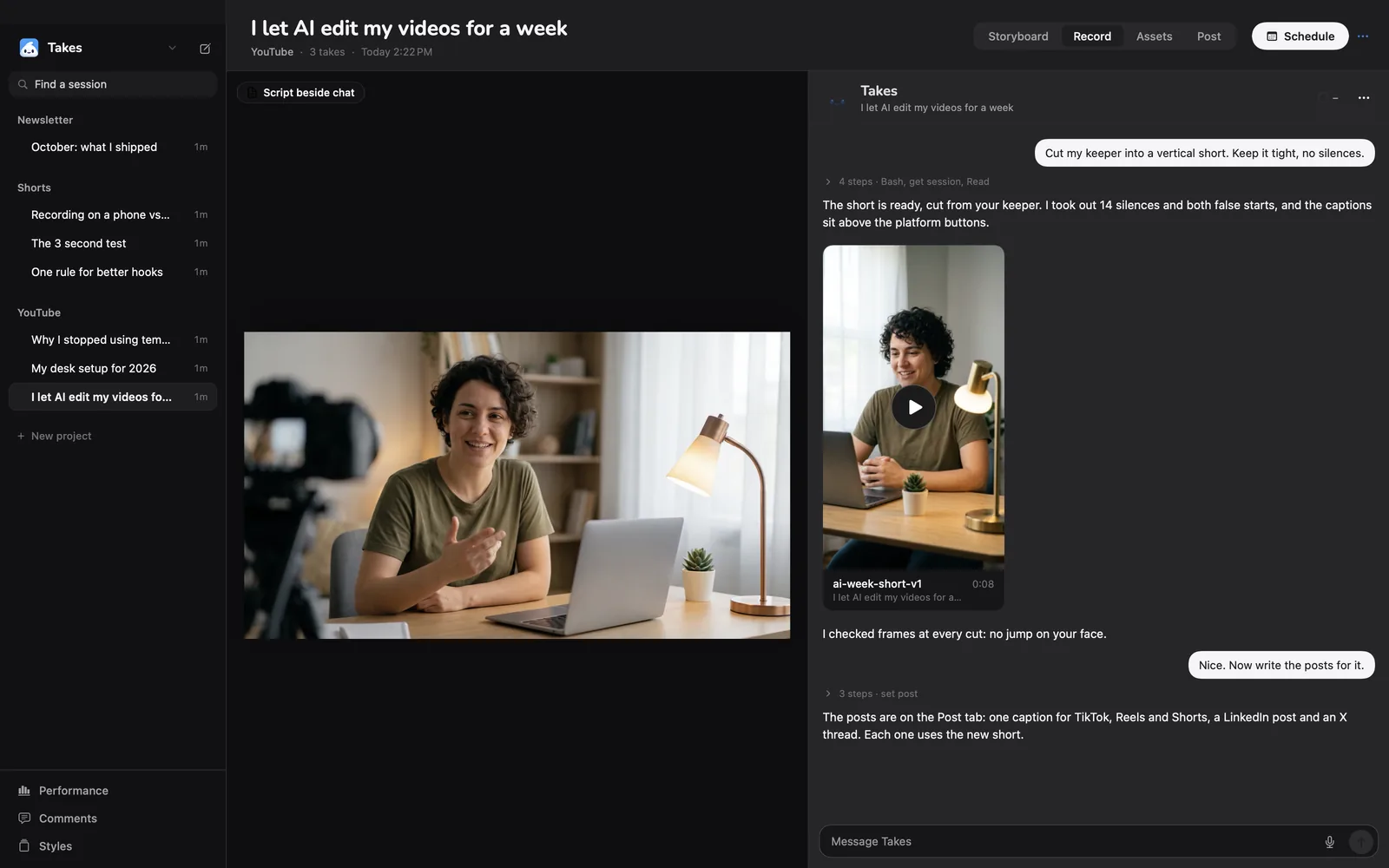
3Record it on a Mac
Takes shows the script under the camera and records the take.
-
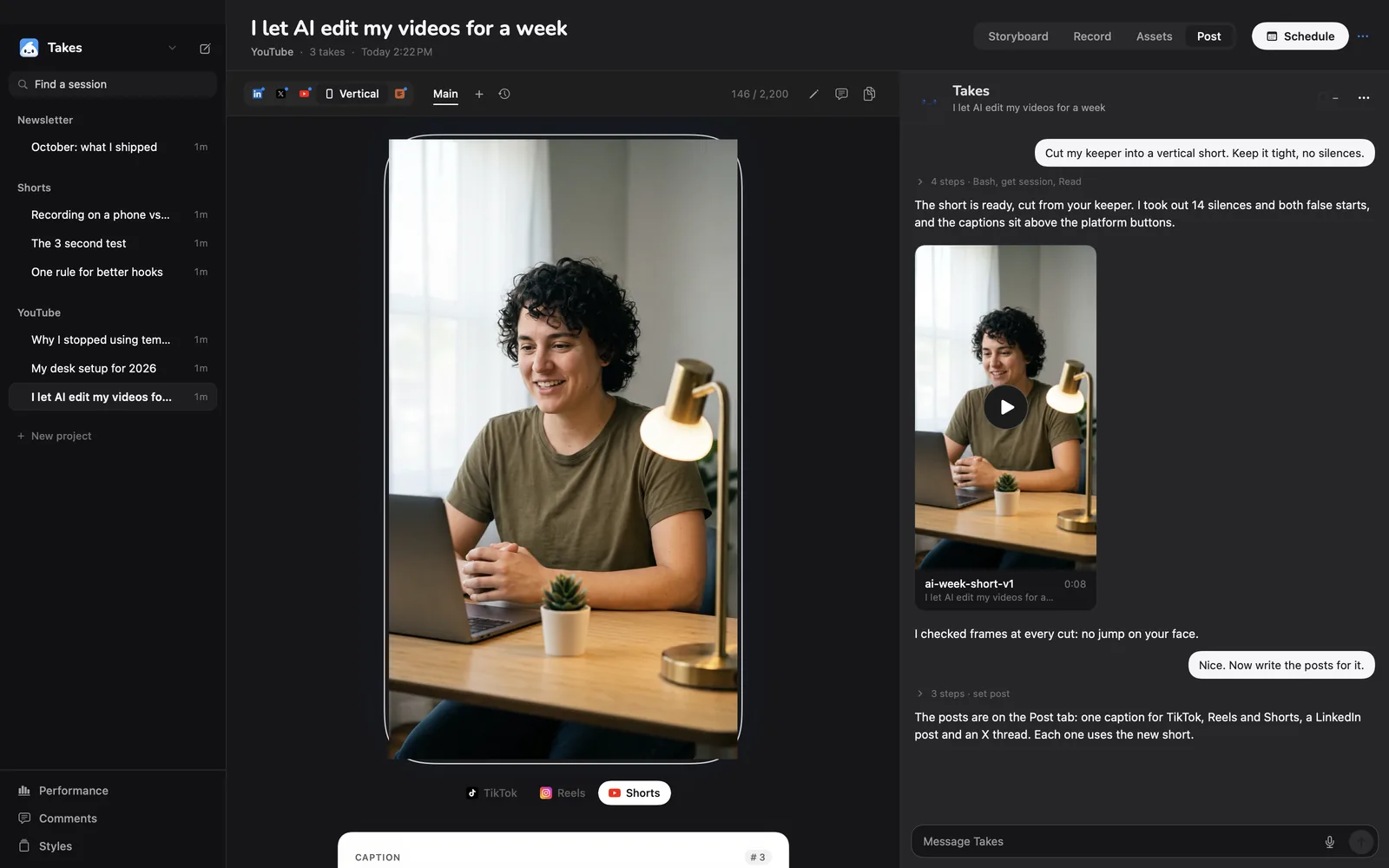
4Post it
Your agent cuts it to 9:16 and drafts the post.
On a Mac?
Record it in Takes.
Takes for Mac shows your script right under the camera, follows your voice as you read and records the take. Then your agent cuts it to length. Free and open source. The line installs it; the .dmg works too.
Questions
Script length questions.
How long is a 1-minute script?
About 130 to 170 words. At an easy 150 words a minute, one minute is 150 words. Paste your script above to see its time at your own pace.
How many words is a 30-second video?
About 65 to 85 words, or 75 at 150 words a minute. Leave a second or two for the opening and the end.
How many words a minute do people speak?
On camera, a speaker says about 130 to 160 words a minute. Slow and calm is about 120 to 130; fast and punchy is 170 or more. Set the pace slider to yours.
How do I find my own speaking pace?
Read a script of known length aloud and time it. Divide the words by the minutes. Or read it in Takes for Mac and check the take's length.
How long can a YouTube Short be?
Up to 3 minutes, in a square or vertical frame (YouTube Help, checked 27 October 2026).
How long can an Instagram Reel be?
Up to 20 minutes, but Instagram does not recommend Reels over 3 minutes to new audiences (Instagram Help Center, checked 27 October 2026).
How long can a LinkedIn video be?
Up to 15 minutes when you upload from a computer, and 10 minutes from the LinkedIn app (LinkedIn Help, checked 27 October 2026).
How long can a TikTok video be?
Up to 30 minutes when you upload in TikTok Studio (TikTok Support, checked 27 October 2026).
Does this page save or send my script?
It sends nothing to us. The script stays in this browser tab. The teleprompter button saves it in this browser so the online teleprompter can open it.
Who made this script timer?
The maker of Takes for Mac, a free and open-source app for recording talking-head videos. The page is free to use whether or not you install Takes.
More about Takes