Every take is kept
Record the same line as often as you like. Each try is its own take in the same session.
 Takes
Takes
Takes Keep the best take
Takes for Mac keeps every take of your video together. Star the best one, and your agent edits only that keeper.
Take 1um
0:21Take 2restart
0:04Take 3clean
0:19Take 4slow
0:23→ Trash
✓Keeper
The short answer
Record the same line as often as you like. Each try is its own take in the same session.
Click the star on the best take. The agent edits that one, not the others.
“Trash takes without a star” clears them. They go to the macOS Trash, so you can get one back.
How
Press ⌘R and read from the teleprompter.
Press ⌘R again. Each try lands as a new take.
One click. Then trash the takes without a star.
The agent edits the keeper only.
A real video
The launch video for Takes, recorded in Takes on October 4, 2026. One take per shot, and two shots said twice.
Less work
The same job: three tries of one line, and only the best one left.
A plain recorder 7 steps
Takes 2 clicks
Shot by shot
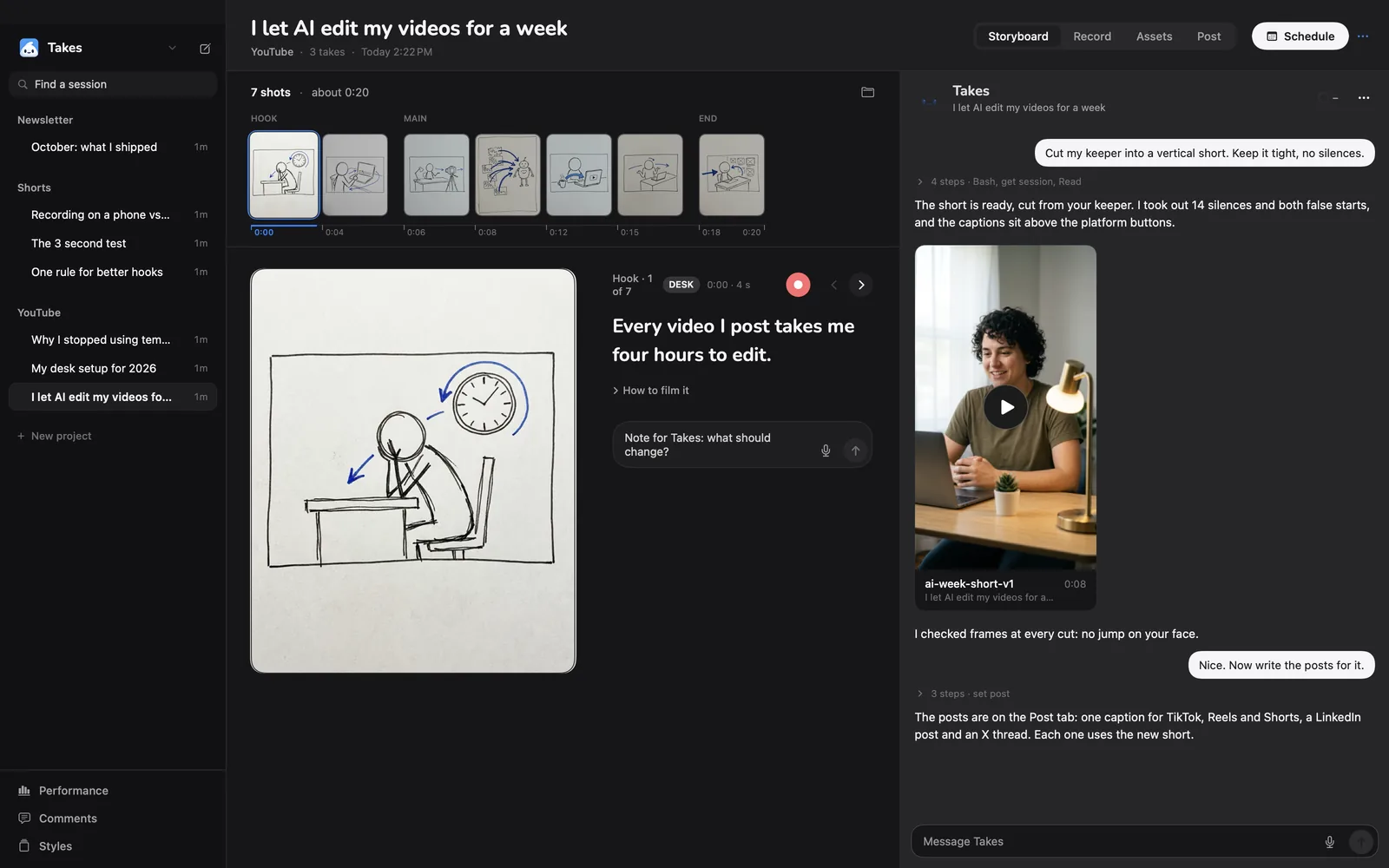
Plan the video as shots. Each shot keeps its own takes, and a star shows which shot has its keeper.
Compare
QuickTime Player comes with every Mac. Here is how the two handle several tries of one video.
| Takes for Mac | QuickTime Player | |
|---|---|---|
| Comes with your Mac | No, a free download | Yes, built in |
| Several tries of one video | Kept together in one session | Each recording is its own file you save and name |
| Mark the best take | A star on the take | Rename or move the file |
| Remove the other tries | “Trash takes without a star” | Delete each file |
| Teleprompter | Yes, scrolls as you talk | No |
| Trim a clip by hand | Ask the agent in words | Yes, Edit > Trim |
| Price | Free, open source (MIT); AI edits use your own agent plan | Free |
QuickTime Player facts from Apple’s QuickTime Player guide, checked 2026-10-22. Takes facts from its source.
What you get
Each take row shows its words, from a transcript made on your Mac.
⌘K searches every take for what you said.
Click its name and type. The file name follows.
The Takes iPhone app stars and trashes takes too.
Each take is a .mov in a folder on your Mac. No upload.
MIT licensed. No account, no trial.
Get started
The line installs Takes and ffmpeg, finds your agent (Claude Code, Codex or pi) or installs Claude Code, signs you in and opens the app. Run it again to update. Rather click? Download the .dmg, drag Takes to Applications, then click Finish setup in the sidebar.
Questions
Open a session in Takes for Mac and press ⌘R. Stop, then press ⌘R again. Each take is its own file in the session folder, next to the others.
Click the star on the take you like. That take is your keeper. Each take row shows what you said, so you can compare without playing all of them.
They stay until you remove them. “Trash takes without a star” moves them to the macOS Trash, so you can still get one back.
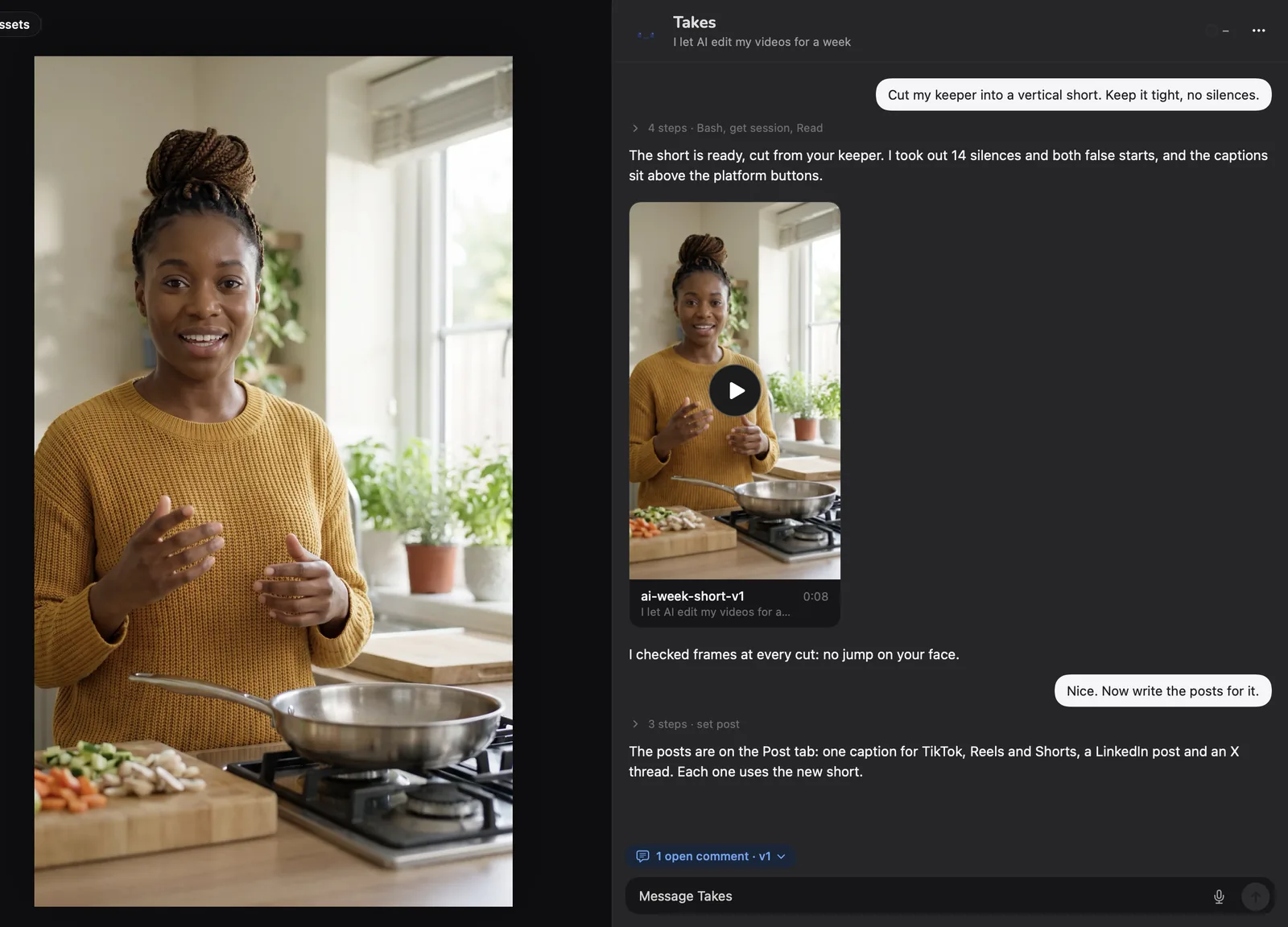
Yes. The agent reads which take is the keeper and edits that one. Ask “cut my keeper into a vertical short” and it does.
Yes. Takes is free and open source (MIT), with no account and no watermark. The AI edits run on an agent you already have: Claude Code, Codex or pi, on your own plan.
More about Takes