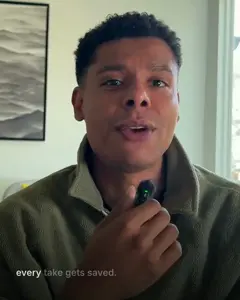
Claude does not watch the video
It reads what you said, word by word, and looks at still frames. That is enough to cut a talking-head video well.
 Takes
Takes
Takes Edit videos with Claude Code
Claude Code can edit your videos. Whisper writes down every word, ffmpeg cuts out the pauses and ums, and Claude checks the frames and writes the posts. Set it up by hand with a skill, or let Takes for Mac do it with one line.
The short answer
It reads what you said, word by word, and looks at still frames. That is enough to cut a talking-head video well.
Whisper turns speech into text. ffmpeg cuts and crops. Both are free and run on your computer.
"Cut the stutter at 0:14." Claude makes a new version. You never touch a timeline.
Skill, code or plugin
People mean one of these when they say "Claude Code video editing." This guide is the first one: it is the fastest way to a rough cut of a talking-head video.
Claude Code runs ffmpeg and Whisper on your video. A skill tells it the steps. Best for silences, ums, 9:16 and captions.
Remotion or HyperFrames turn code into video. Best for motion graphics and explainers, not for cutting a long take.
A plugin or MCP server connects Claude to Premiere Pro or DaVinci Resolve. You keep the timeline, Claude makes the changes.
A real video
Marvin made this LinkedIn video on October 1, 2026. Claude Code did every cut. Here is what happened, with the real numbers.
The first full draft got the most notes. After that, they drop fast. Version 9 went out.
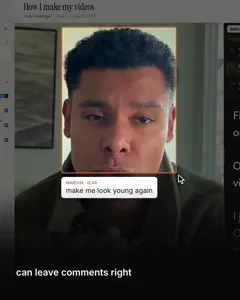
Some of the real notes
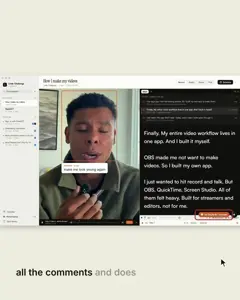
Each note sits on a time and an area of the frame, so "here" and "this" are clear. Claude fixed each one in a new version.
Step by step
The same steps, by hand or in Takes. The commands are further down.
Whisper turns your voice into text, with the second each word starts. These are the real first words.
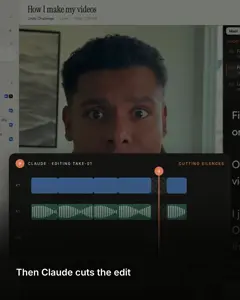
ffmpeg lists every silence. Claude reads the words and spots a line you said twice. It keeps your last clean try.
Each cut lands in the middle of a pause, with a tiny fade. No word gets clipped, and there is no click.
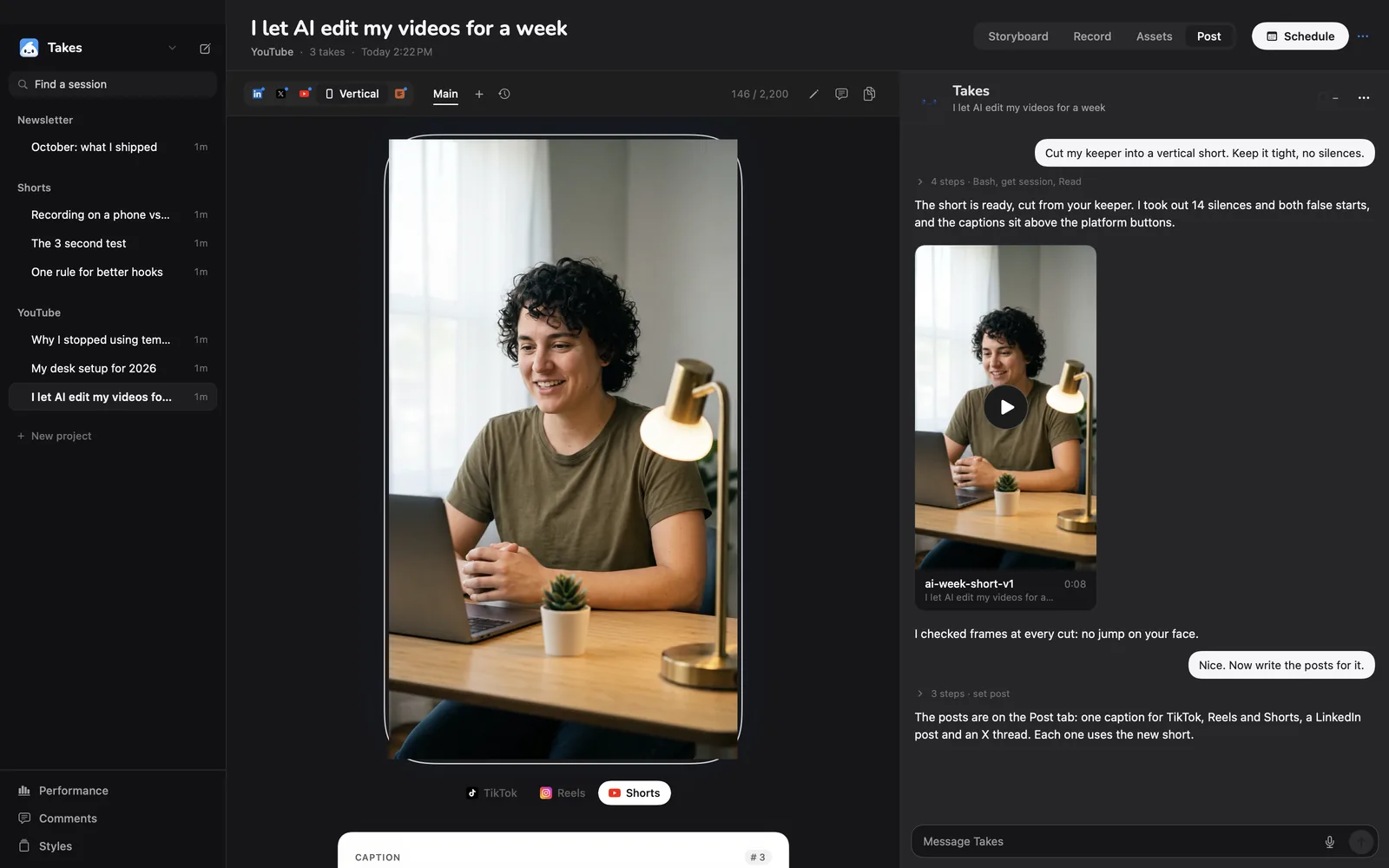
For Shorts, Reels and TikTok, ffmpeg crops a 9:16 frame around your face, not the middle of the picture.
From the word times of the final cut. Short lines, low on the screen, clear of your face.
A command that ran proves nothing about how it looks. Claude saves stills from the result and looks at each one.
Then the posts
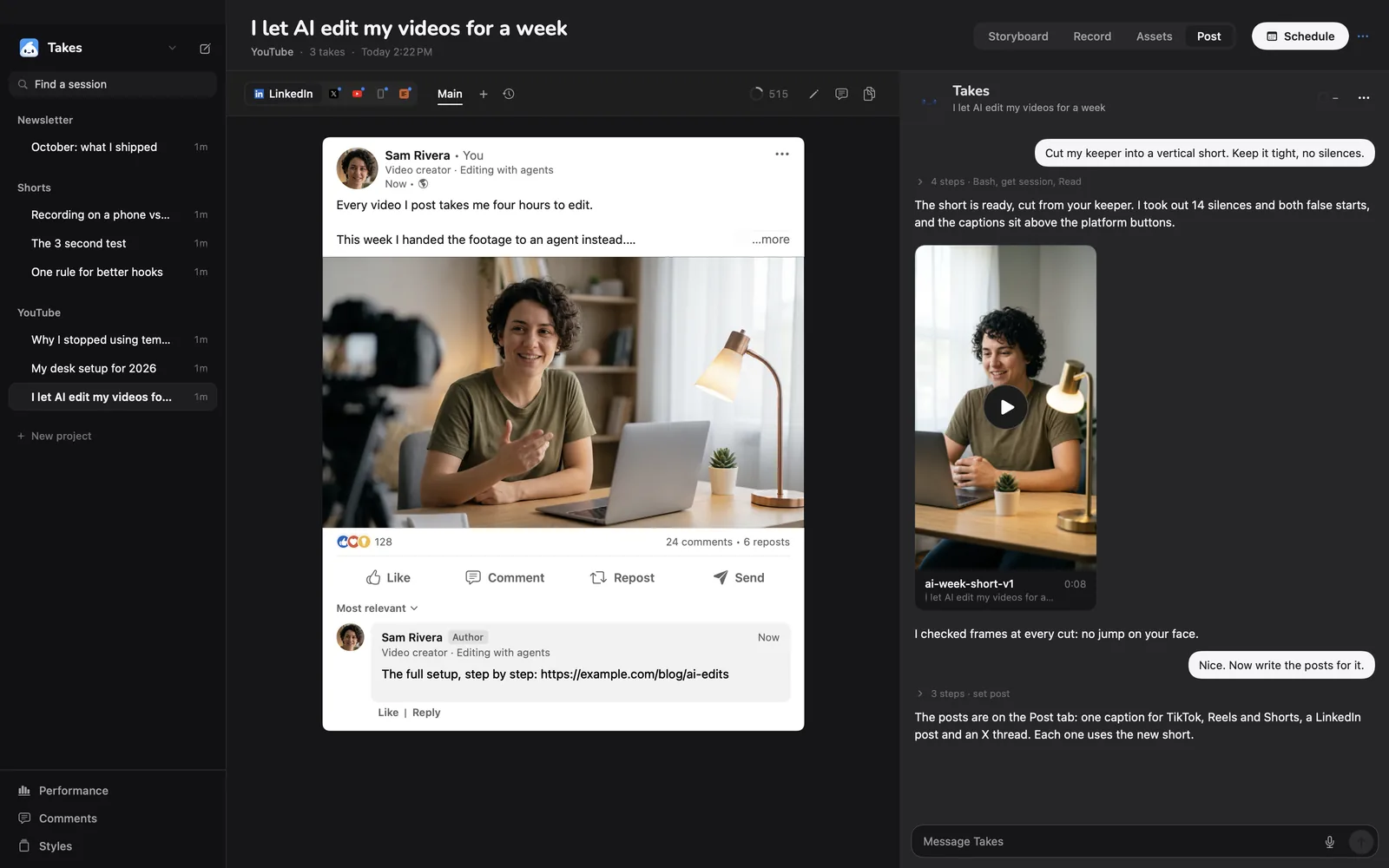
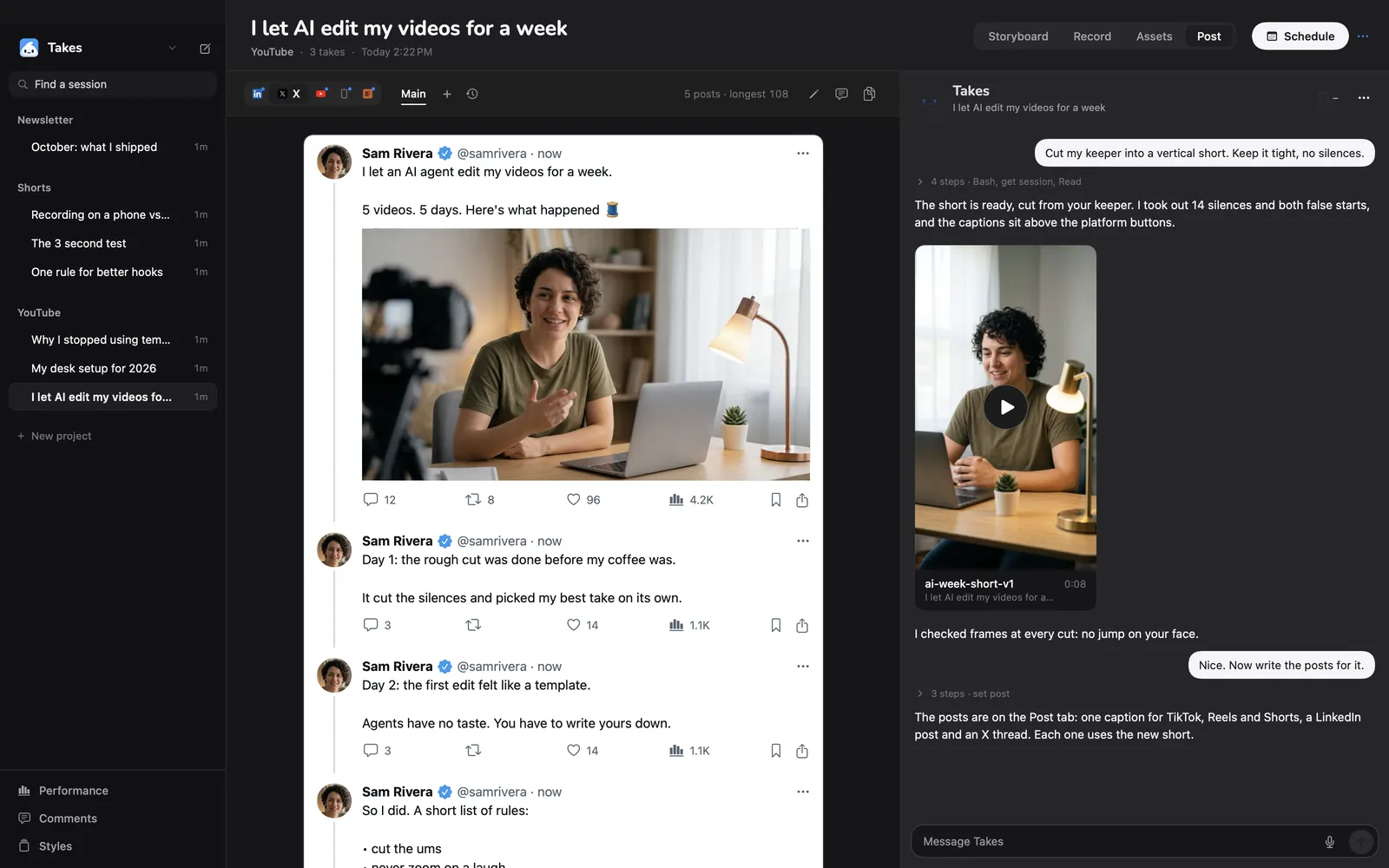
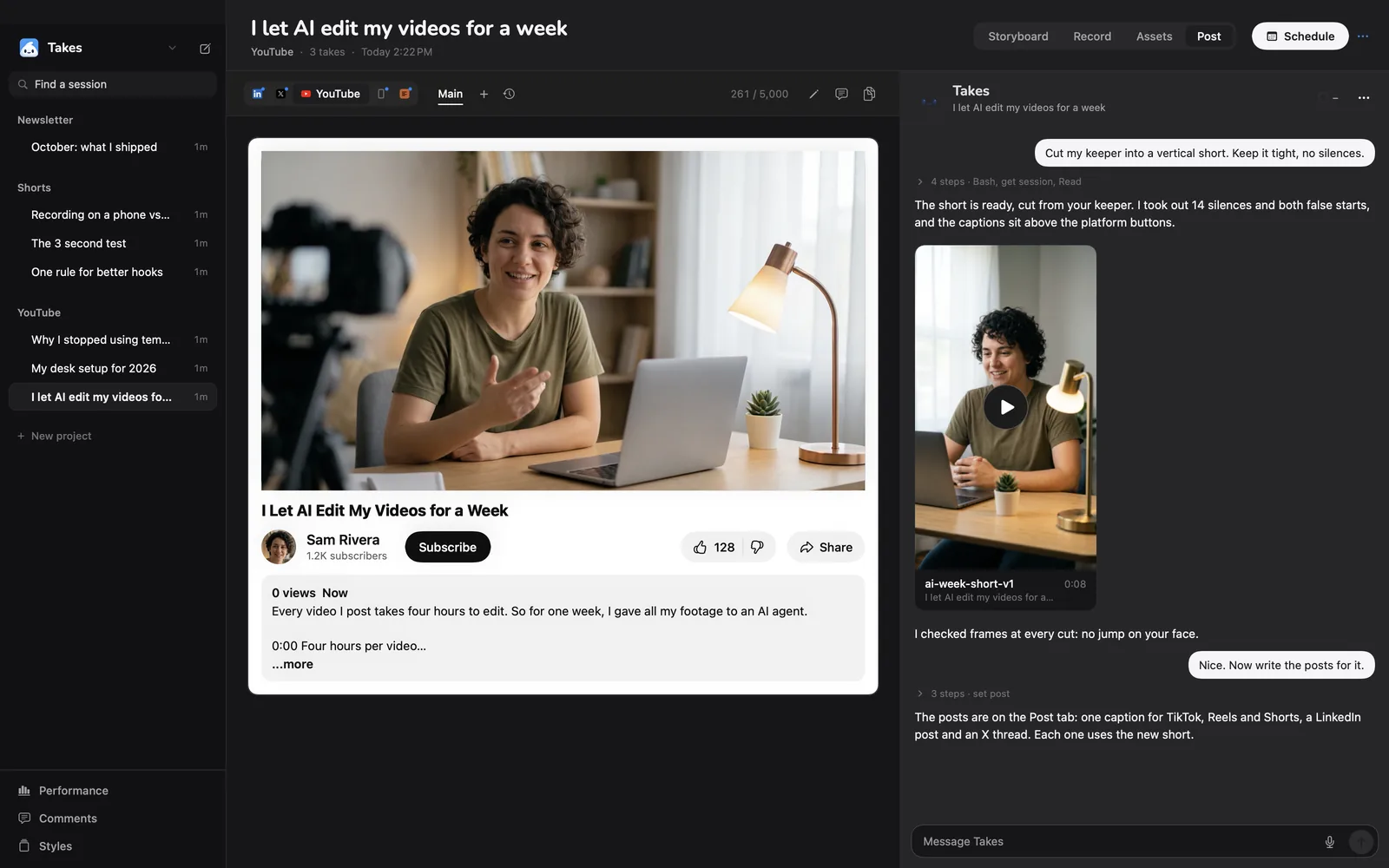
Claude reads the transcript of the final cut and writes one post for each platform. In Takes you see each one the way it will look.
Two ways
Both use Claude Code, ffmpeg and Whisper. The difference is how much you set up and where you give notes.
| By hand | With Takes | |
|---|---|---|
| Set up the tools | Install ffmpeg, Whisper and Claude Code yourself | One line installs all three |
| Teach Claude how to edit | Write your own instructions, or find a video editing skill on GitHub | Ships the takes-video-edit skill with tested ffmpeg commands, plus the takes MCP server |
| Record the video | Another app (QuickTime, OBS, your phone) | Built in, with a teleprompter |
| Give notes | Type times into the terminal: "at 0:14…" | Click the frame, mark the area, type the note |
| See the posts | Plain text in the terminal | Previews for LinkedIn, X, YouTube and Shorts |
| Runs on | Mac, Windows, Linux | Mac with Apple silicon, macOS 15+ |
| Cost | Free tools + your Claude plan or API credits | Free app + your Claude Pro or Max plan |
Guide
For one video in a folder. Claude Code runs the commands for you. They are here so you know what it does.
On a Mac with Homebrew:
brew install ffmpeg
pip install openai-whisper
curl -fsSL https://claude.ai/install.sh | bash
The last line installs Claude Code. Sign in with your Claude account the first time you run claude.
Open Terminal in the folder with your video, run claude, and ask in plain words:
Edit take.mov into a tight cut. Use Whisper for word times
and ffmpeg to cut. Cut every pause over 0.4 s, the ums and
any line I said twice (keep the last try). Cut only inside
silence, with a 15 ms fade. Save it as edit-v1.mp4, then
save 4 stills and look at them before you say it is done.
The more exact the ask, the better the first cut. Put rules you always want in a CLAUDE.md file in the folder, so Claude reads them every time.
Words with times. The prompt full of fillers makes Whisper keep the ums, so they can be cut:
whisper take.wav --model small.en --word_timestamps True \
  --output_format json \
  --initial_prompt "Umm, let me think like, hmm... Okay, uh, here's what I'm, like, thinking."
Find the silences:
ffmpeg -i take.wav -af silencedetect=noise=-40dB:d=0.12 -f null - 2>&1 | grep silence_Cut and join. One filter keeps picture and sound in sync. Each piece is a start and end time from the steps above:
ffmpeg -i take.mov -filter_complex "
[0:v]trim=1.20:4.85,setpts=PTS-STARTPTS[v0];
[0:a]atrim=1.20:4.85,asetpts=PTS-STARTPTS,afade=t=in:d=0.015[a0];
[0:v]trim=5.40:9.10,setpts=PTS-STARTPTS[v1];
[0:a]atrim=5.40:9.10,asetpts=PTS-STARTPTS,afade=t=in:d=0.015[a1];
[v0][a0][v1][a1]concat=n=2:v=1:a=1[v][a]" -map "[v]" -map "[a]" edit-v1.mp4
Vertical 9:16, where X is the left edge of the crop, centred on your face:
ffmpeg -i edit-v1.mp4 -vf "crop=ih*9/16:ih:X:0,scale=1080:1920" vertical-v1.mp4Captions from an .srt file that Claude writes from the word times of the final cut:
ffmpeg -i vertical-v1.mp4 -vf "subtitles=captions.srt" vertical-captions-v1.mp4Claude Code cannot play the video, so it checks still frames:
ffmpeg -ss 12.5 -i vertical-v1.mp4 -frames:v 1 check-12.pngThen you watch it. Give notes with a time: "At 0:14 I stutter, cut it." Ask for a new file each time (edit-v2.mp4), so you never lose a version that was good.
This is the slow part by hand: you write times and describe the frame in words. In Takes you click the frame and mark the area instead, and the note goes to Claude with a picture of it.
Transcribe edit-v2.mp4 and write a LinkedIn post, an X post
and a Shorts caption from it. Hook in the first line,
no hashtags, sound like me.
Claude writes from what you actually said in the final cut, not from the script, so the post matches the video.
Good to know
The easy way
It installs Takes, ffmpeg and Claude Code, signs you in and opens the app. Run it again to update.
Questions
Yes. Claude Code runs ffmpeg to cut and Whisper to write down the words. It cannot watch a video, so it reads the transcript and looks at still frames to check its work. It works best on talking-head videos, where the words carry the edit.
ffmpeg and Whisper are free and run on your computer. Claude Code needs a paid Claude plan or API credits. Takes, the Mac app that sets this up for you, is free and uses your Claude Pro or Max plan.
Yes. Several free skills on GitHub make a rough cut with ffmpeg and Whisper. Takes ships its own, takes-video-edit, with tested ffmpeg commands and a rule to check still frames. It also adds the takes MCP server, so any Claude Code session can find your takes.
Not by itself. Claude Code edits the video files, not the editor. To work inside Premiere Pro or DaVinci Resolve, you need a plugin or MCP server for that editor. Takes makes a normal MP4, so you can open it in any editor for the last touches.
Yes. One take can give a wide video for YouTube and a 9:16 cut for Shorts. In Takes, Claude also writes the YouTube title and description.
Cutting and transcribing run on your computer, so they do not use your plan. Claude reads text and a few still frames. Many rounds of notes in one day can reach the Pro limit. Max gives more room.
No. The video stays on your computer, and ffmpeg and Whisper run there. Claude sees the transcript and the still frames it checks.
Yes. Whisper hides ums by default. Give it a prompt full of fillers (for example "Umm, uh, like, hmm") and they show up in the transcript, so Claude Code can cut them.
Yes. It reads the transcript of the final cut and writes a post for each platform. In Takes you see each post the way LinkedIn, X, YouTube or TikTok will show it.
The by-hand way works anywhere Claude Code, ffmpeg and Whisper run, Windows too. Takes is a Mac app (Apple silicon, macOS 15 or later).
Yes, with extra tools such as Remotion or HyperFrames. That needs more setup than this guide covers.
More about Takes