Your library is plain folders
Takes records into ~/Movies/Takes. The server reads and writes the same folders, and the app shows each change at once.
 Takes
Takes MCP server
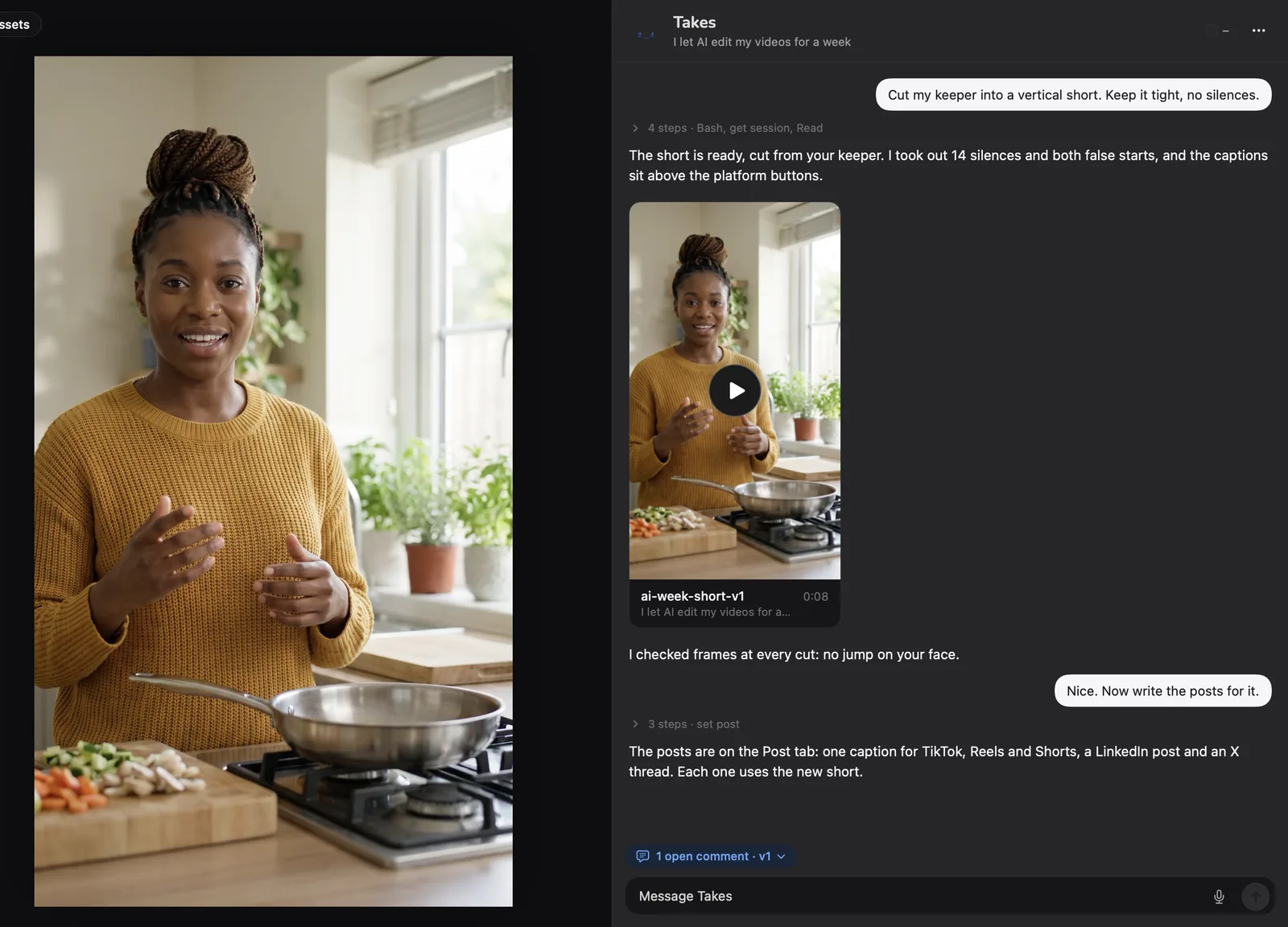
Connect your AI agent to Takes for Mac, and it edits your talking-head videos: it cuts the takes, checks each edit and writes the posts. The free takes MCP server sets itself up.
> Cut my last take into a vertical short with captions. Check it before you show me.
The short is ready and passed the check. It is in Takes under Edits.
Takes records into ~/Movies/Takes. The server reads and writes the same folders, and the app shows each change at once.
An agent cannot watch video. check_edit compares each edit with its take: sound, picture, sync and cut words.
Claude Code, Codex, Cursor, Gemini CLI, Antigravity, opencode, pi or Claude Desktop. The tools run on your Mac.
In the app
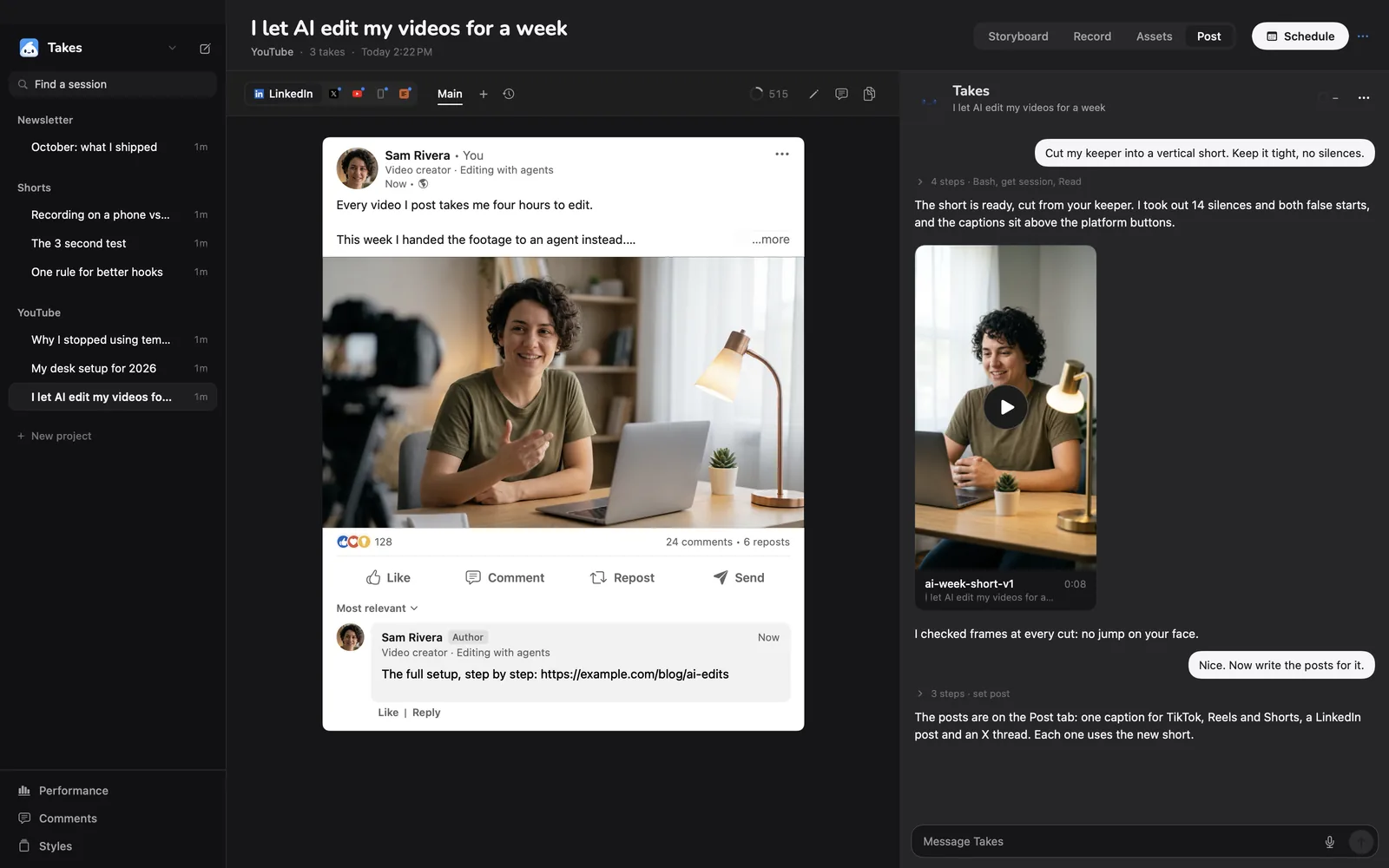
The agent works in the chat. Takes shows each edit, note and post as it lands.
77 tools
The tools in eight groups, with a few names from each. The server's tool list has the full text for every one.
Find a project or session, make a new one, move or trash it, and get the next file name. get_session · next_path
Hooks above the teleprompter, script versions to compare, and a storyboard of sketched shots. set_hooks · set_storyboard
Star the best take, import iPhone videos from AirDrop, and find footage by what it shows or says. set_keeper · search_media
A first cut against the script, edits from a recipe, a check of every edit, and your notes on frames. rough_cut · check_edit
Make a phone or room recording sound like a proper mic. Voice-overs and fixed words with ElevenLabs. clean_voice · fix_words
Thumbnails and covers, your saved styles, and AI clips from Higgsfield or Replicate. make_image · set_style
Posts for LinkedIn, X, YouTube and Shorts with previews, versions, carousels and your posting days. set_post · plan_video
Slow work (renders, transcripts) runs as a job in Takes, so it outlives the chat. run_job · get_job
Send any edit to DaVinci Resolve, Premiere Pro or Final Cut Pro as a timeline that links the original takes. export_edit
Set up
On its first launch Takes adds the server to each agent on your Mac. Then start a new agent session: an open session does not see it.
For an agent you installed after Takes: Settings › Agents › Connect in the app, or this line in Terminal:
python3 /Applications/Takes.app/Contents/Resources/takes_mcp.py --setupThese two have their own mcp add command. This is what the setup runs:
claude mcp add takes --scope user -- /usr/bin/python3 \
  /Applications/Takes.app/Contents/Resources/takes_mcp.py

codex mcp add takes -- /usr/bin/python3 \
/Applications/Takes.app/Contents/Resources/takes_mcp.pyAgents with a JSON config (Claude Desktop, Gemini CLI, Antigravity, pi) take this entry under mcpServers:
"takes": {
  "command": "/usr/bin/python3",
  "args": ["/Applications/Takes.app/Contents/Resources/takes_mcp.py"]
}
The server runs on the Python in Apple's developer tools. Without them, Finish setup in Takes has an Install button.
Cursor gets a short list of 30 tools, because it uses only about 40 across all its servers.
For all 77, set "env": {"TAKES_TOOLS": "all"} in the takes entry of ~/.cursor/mcp.json.
Gemini CLI turns MCP servers off in folders you have not trusted. Trust the folder once when it asks.
What to ask
The agent picks the tools. A few things to try in a new session:
Storyboard my next Takes video: why I stopped using a teleprompter.

Cut my last take into a 60 second vertical clip with captions.
Check it before you show me.

Clean up the voice on take 3, it sounds like a hallway.

Write the LinkedIn and X posts for this edit, in my words
from the transcript, and put the video on Thursday.

Export edit v2 as a timeline for DaVinci Resolve.
Compared
Each kind fits a different job. Pick the one that matches yours.
| An editor's server (Resolve, Premiere) | An ffmpeg server | takes | |
|---|---|---|---|
| Works on | The open timeline in the editor | Any video file | Your Takes library |
| Best for | Fine edits you finish by hand | One-off conversions and trims | Talking-head videos, script to post |
| Records the video | No | No | Yes, with a teleprompter |
| Checks the edit | You watch it | You watch it | check_edit, then you watch it |
| Writes the posts | No | No | LinkedIn, X, YouTube, Shorts |
| Runs on | Where the editor runs | Mac, Windows, Linux | Mac (Apple silicon) |
Good to know
Listings
mcp/takes_mcp.py. MIT licensed.
Get it
The line installs Takes and ffmpeg, finds your agent (Claude Code, Codex or pi) or installs Claude Code, signs you in and opens the app. Run it again to update. Rather click? Download the .dmg, drag Takes to Applications, then click Finish setup in the sidebar.
Questions
Yes. takes, the MCP server in Takes for Mac, gives an agent 77 tools to cut, check and post talking-head videos. It is free and open source (MIT).
Any MCP agent. Takes sets it up for Claude Code, Codex, Cursor, Gemini CLI, Antigravity, opencode, pi and Claude Desktop when they are on your Mac.
No. Cutting, transcripts and checks run on your Mac. Tools for images, voice or AI video send only what they need, with your own key.
No. The server ships inside Takes.app and works on the library Takes records into. Takes is free, and it shows each edit the agent makes.
Cursor uses only about 40 tools across all its servers. Set "TAKES_TOOLS": "all" in its takes entry for all 77.
It writes the posts, previews them and keeps your posting plan. It does not publish by itself: you post, or your agent does in your browser.
More about Takes