LinkedIn auto captions
Free and built in, in 10 languages. Review them before you post: names and product words are often wrong. On a scheduled post you can only review them after it goes live.
 Takes
Takes
Takes LinkedIn video
The numbers come from LinkedIn's own help pages. Then the part the specs leave out: which ratio to pick, how to add captions, and a routine that takes you from a script to a posted video on a Mac.
The specs
For a normal post from your profile. Ads have their own page. The right column is what Takes gives you, so you can check it fits.
| LinkedIn post | What Takes makes | |
|---|---|---|
| Length | 3 s to 15 min (2 s minimum from the phone app) | The parts you keep, with the pauses cut |
| File size | 75 KB to 5 GB | A 1–2 minute talking video is far below 5 GB |
| Aspect ratio | Anything from 1:2.4 (tall) to 2.4:1 (wide) | 9:16 framed on your face, or the wide 16:9, or any ratio you ask for |
| Resolution | 256×144 to 4096×2304 | Full size from your camera |
| Frame rate | 10 to 60 fps | Inside the range |
| Bit rate | 192 kbps to 30 Mbps | Inside the range |
| Format | MP4, MOV, AVI, WEBM, MKV, WMV, MPEG and more | MP4 |
| Captions | Auto captions in 10 languages, or an .srt file (desktop) | Burned in, in your style, or an .srt file |
| Thumbnail | Ads: JPG or PNG, up to 2 MB, same ratio as the video | A first frame on your face, and thumbnails if you ask |
Sources: LinkedIn Help, video sharing, auto captions and closed captions; LinkedIn video ad specs for the thumbnail. Checked 8 October 2026.
Vertical or horizontal?
LinkedIn takes any ratio, so the question is what people see. At the same width, a 9:16 video fills more than three times as much of an iPhone screen as a 16:9 one. The LinkedIn phone app also has a full-screen vertical video player, and in 2025 LinkedIn brought vertical video to the web.
The rule: a person talking → 4:5 or 9:16. A screen, a slide or a demo → 16:9. Takes makes the 9:16 version from your take and keeps your face in the frame.
Captions
LinkedIn can make captions for you, you can upload a caption file, or the captions can be part of the video. Here is what each way does well.
Free and built in, in 10 languages. Review them before you post: names and product words are often wrong. On a scheduled post you can only review them after it goes live.
Exact words, and viewers can turn them off. You add the file on desktop when you post. Ask Takes for one and it writes the .srt from the words of the final cut.
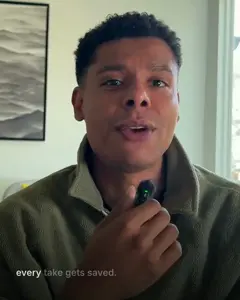
Always on, in your font and colors, and they work on every app you post to. You cannot turn them off. This is what Takes does by default.
How to make one
This is the real Takes app. You write, you read, you ask. Takes does the cutting, the captions, the 9:16 version and the post draft.
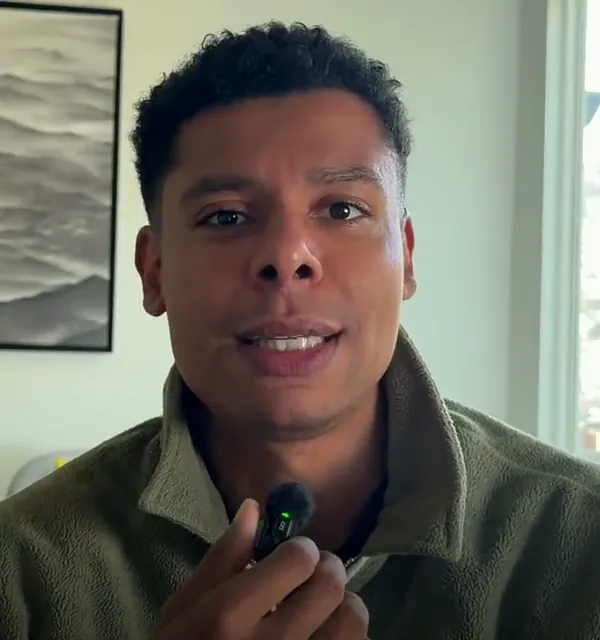
Marvin's LinkedIn video from October 1, 2026. The full story, step by step.
Before you post
LinkedIn says video is growing: uploads were up 36% and video views up 36% on the year before, it told TechCrunch in February 2025. More video also means more to scroll past, so the first second and the first line of the post do most of the work.
Takes writes the post next to the video, with a few opening lines to pick from, and shows it as it will look in the feed.
Get started
It installs Takes, ffmpeg and Claude Code, signs you in and opens the app. No Docker, no build. Run it again to update.
Questions
LinkedIn accepts 256×144 up to 4096×2304 pixels, 75 KB up to 5 GB. For a talking-head post, 1080×1350 (4:5) or 1080×1920 (9:16) is a good size: sharp on a phone and far below the limits.
LinkedIn takes any ratio from 1:2.4 to 2.4:1. Pick 4:5 or 9:16 for a person talking: on a phone, the video fills more of the screen. Pick 16:9 for a screen recording or a slide, where the content is wide.
From 3 seconds (2 seconds from the mobile app) up to 15 minutes, says LinkedIn's help page. Ads have other limits.
LinkedIn gives no best length. Make it as long as the idea needs and cut every pause. A talking-head post with one idea is often under 2 minutes: Marvin's real video on this page went from a 3:18 take to a 1:24 first cut.
Vertical (9:16) or 4:5 for a face, because it fills the phone screen and the LinkedIn phone app has a full-screen vertical video player. Horizontal (16:9) for screens and slides.
Three ways. LinkedIn's auto captions (10 languages, you can review and edit them). An .srt file, which you add on desktop when you post. Or captions burned into the video, which show on every app and cannot be turned off. Takes can do the last two.
Yes. LinkedIn makes auto captions in English, Spanish, Portuguese, French, German, Italian, Indonesian, Turkish, Arabic and Dutch. You can add them at once or review them first. On a scheduled post you can review them only after it goes live.
MP4 is the safe pick. LinkedIn also takes MOV, AVI, WEBM, MKV, WMV and MPEG files, at 10 to 60 frames a second.
LinkedIn's ad specs ask for a JPG or PNG, up to 2 MB, in the same ratio as the video. That is a good rule for posts too. Many viewers only see the first frame, so start on your face, with the topic in a few words.
With Takes for Mac, which is free and open source: write the script, read it off a teleprompter that follows your voice, ask Takes for the cut, captions and the 9:16 version, and get the LinkedIn post draft next to it. Then upload the MP4 to LinkedIn.
The maker of Takes, so read it with that in mind. Every LinkedIn number comes from LinkedIn's own help and ad pages, checked on 8 October 2026.
More about Takes