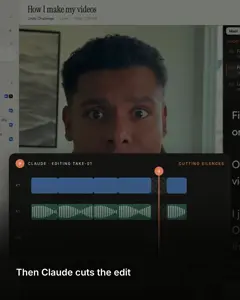
Nothing is behind a paywall
No Pro tools, no export lock, no watermark. The AI edits run on your own Claude plan. If you already pay for Claude, Takes adds $0.
 Takes
Takes
Takes CapCut alternative
Takes for Mac is free and open source, with no Pro plan and no watermark. It is for one person who talks to a camera: a teleprompter that follows your voice, then the ums, captions and the 9:16 clip when you ask. Nothing is uploaded. Every file stays on your Mac.
The short answer
No Pro tools, no export lock, no watermark. The AI edits run on your own Claude plan. If you already pay for Claude, Takes adds $0.
Every take, edit and post is a plain file in a folder on your Mac. No Takes account, and no terms that give anyone a license to your face.
CapCut is a big editor for effects and trends. Takes does one job: a teleprompter, a clean cut, captions, your style, and the post. No timeline.
What it costs
CapCut Free is $0 too, and it is good. If you do not have Claude yet, Takes plus Claude Pro costs more than CapCut Standard. The difference is what you get for it.
CapCut has no public price page. These are its in-app prices in the US App Store on 8 October 2026, which also lists a yearly plan at $89.99. Claude Pro is $20 a month. Prices change: check before you buy.
Your files
People search "capcut privacy concerns" and "capcut terms of service". Here is what the terms say, so you can decide.
CapCut's US terms, last updated 15 April 2026: you grant TikTok USDS Joint Venture and our affiliates, agents, services providers, partners and other connected third parties an unconditional, non-exclusive, royalty-free, fully transferable, sub-licensable, perpetual and worldwide license to use your User Content.
The terms say this is for running and improving its services, subject to your settings, and they also cover your name, image and likeness for sponsored content. Read the full terms.
How you edit
CapCut gives you a timeline full of tools. Takes gives you a chat. A talking-head video needs only a few: a clean cut, captions and a 9:16 clip.
Tracks for video, text, effects and sound. Templates, stickers, trending sounds. Great when the edit is the creative part.
Ask in the chat, or leave a note on a time and a spot in the frame. Claude Code cuts a new version. You never touch a timeline.
How simple it is
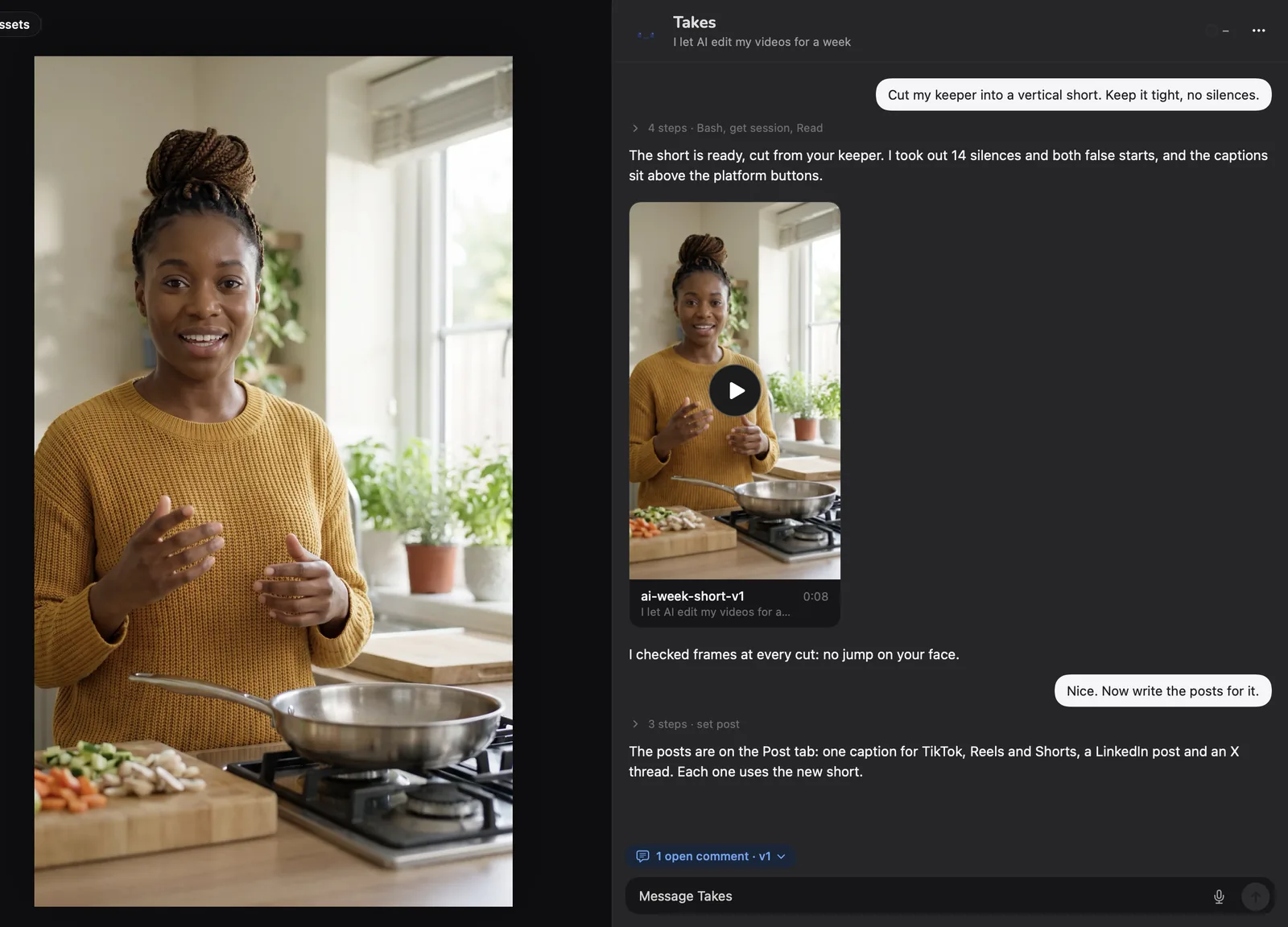
The same job: cut a take to a tight 9:16 clip with captions, then write the post. On the left, what you do by hand in a timeline editor. On the right, what you do in Takes. CapCut's AI tools do some steps for you; some of them need a plan.
Timeline editor 10 steps
Takes 2 messages
Templates, styles, sounds
CapCut gives you thousands of templates to pick from. Takes has none to browse. Instead you show Claude what you like, and it builds it for you and keeps it for the next video.
Give Claude a link, a video, a screenshot, or words. It studies the look and builds a style from it: fonts, colors, caption look, title cards. Compare it with your others and keep it or bin it.
Ask for a lower third, a title card, an intro or a caption look. Claude builds it, puts it on the video, and saves it to your style library, so the next video uses it again.
Ask Claude to find a sound online that is free to use. It saves it to your Sounds and places it at the right second. Or use your own folder of effects. Check each license before you post.
A real video
Marvin made this LinkedIn video in Takes on October 1, 2026. Claude Code did every cut. The full story, step by step.
Some of the real notes
Side by side
| Takes for Mac | CapCut | |
|---|---|---|
| Price | Free, open source (MIT). AI edits on your Claude plan | Free plan; Standard $9.99, Pro $19.99 a month |
| Paywall | None. Every feature is in the free app | Some tools need a plan; people report export blocks when a project uses one |
| Watermark | Never | None, says capcut.com |
| Teleprompter | Follows your voice; in the notch or its own window | In the phone app; none found on desktop |
| Records | Camera, or camera + screen as two synced files | An editor first |
| How you edit | Ask in words, or a note on the frame | A full timeline with keyframes and color |
| Templates | Claude builds them for you: title cards, lower thirds, captions, intros. Saved for the next video | A huge ready-made library |
| Copy a style | Yes: from a link, a video, a screenshot or words | Pick a template someone made |
| Sound effects | Claude finds free ones online, or uses your folder, and places them | Built-in library and trending sounds |
| Cut ums and pauses | Yes, when you ask | Yes, from auto captions |
| Captions | Yes, burned in, in your style | Yes, auto captions |
| 9:16 clip | Yes, framed on your face | Yes, with auto reframe |
| AI video, avatars, voices | Fix a word in your voice (your own ElevenLabs key); no AI video | Yes, many tools |
| Post drafts | LinkedIn, X, YouTube, Shorts, each as it will look | Shares to TikTok and YouTube |
| Where files live | A folder on your Mac | Your device, plus cloud space on paid plans |
| License to your content | None. Nothing is uploaded | Perpetual, sub-licensable, for what goes through its services |
| Account | No Takes account (Claude sign-in for AI) | Needed for some services |
| Runs on | Mac only: Apple silicon, macOS 15+ | Mac, Windows, web, iPhone, Android |
CapCut facts from its US terms, desktop page, filler-word page, watermark page, teleprompter help and the US App Store, 8 October 2026. Takes facts from its source.
Be honest
.mov and .mp4 files. Record with the Takes teleprompter, let Claude make the clean cut and captions, then add a sound or an effect in CapCut.
Free, on a Mac
People search "capcut alternative free", "no watermark" and "open source github". These are free on a Mac and export with no watermark.
Already on many Macs. Simple timeline, titles and themes. The easy start if you only need cuts and music.
A pro editor, known for its color tools, free. Strong, but slow to learn: many people find it too much for a quick edit.
A mature open-source timeline editor for Mac, Windows and Linux. kdenlive.org. OpenCut aims to be an open-source CapCut, but it is early.
Get started
It installs Takes, ffmpeg and Claude Code, signs you in and opens the app. No Docker, no build. Run it again to update.
Questions
Yes. Takes for Mac is free and open source (MIT), with no Pro plan and no watermark. It is made for talking-head videos: a teleprompter that follows your voice, then Claude Code cuts the pauses and ums, adds captions and makes the 9:16 clip when you ask. The AI parts run on your own Claude plan (Pro or Max). For effects and templates, iMovie and DaVinci Resolve are free on Mac too.
Yes. CapCut has a desktop app for Mac and Windows, a web version, and the App Store lists it for Mac (macOS 10.14 or later). So the question is not if CapCut works on a Mac, but if it fits the videos you make.
CapCut is free to download and has a free plan. In the US App Store on 8 October 2026 it lists Standard at $9.99 a month, Pro at $19.99 a month, and a yearly plan at $89.99. Some tools and exports need a paid plan. CapCut has no public price page, so check in the app before you pay.
Many people search for this. CapCut has moved more tools to its paid plans over time, and if a project uses a Pro tool, CapCut asks you to pay before you can export it. Takes has no paid tier: every feature is in the free app. You need your own Claude plan for the AI edits.
Takes exports at full size with no watermark, and there is nothing to unlock. iMovie, DaVinci Resolve (free version) and Kdenlive also export with no watermark.
Takes is open source under the MIT license, on GitHub. It is a Mac app for talking-head videos, not a copy of CapCut. Kdenlive is a mature open-source timeline editor for Mac, Windows and Linux. OpenCut is a newer open-source project that aims to copy CapCut; it is early.
Yes. Give Claude a link, a video, a screenshot, or describe the look. It studies it and builds a style: fonts, colors, the caption look, title cards and lower thirds. You compare it with your other styles in the app and keep it or bin it, and the next video can use it. Use it for the look, not for someone else's logo or content.
Ask Claude in Takes to find one, for example a soft whoosh that is free to use. It looks online, saves the file to your Sounds and places it at the right second of the video. You can also point Takes at your own folder of effects. Check the license of each sound before you post.
CapCut's US terms (last updated 15 April 2026) are with TikTok USDS Joint Venture LLC. For content you upload to, or make available through, its services, you give it a perpetual, worldwide, royalty-free, sub-licensable license to use, modify and publish it, for running and improving the services, subject to your settings. You also allow it to use your name, image and likeness to show you as the source, also in sponsored content. Read the full terms. In Takes nothing is uploaded and there are no terms of that kind: the files stay in a folder on your Mac.
We make a rival app, so judge for yourself. The facts: the US version is run by TikTok USDS Joint Venture LLC, some services need an account, cloud space is part of the paid plans, and the terms above cover what you put through its services. If you want no upload and no account at all, Takes keeps everything on your Mac; only the AI edits talk to Anthropic through Claude Code.
No, not now. CapCut went offline in the US for about a day in January 2025, with TikTok. On 8 October 2026 it is in the US App Store, and its US terms name TikTok USDS Joint Venture LLC.
Yes, CapCut desktop can find filler words in its auto captions and remove them. Its teleprompter is in the phone app; we found no teleprompter in CapCut desktop. Takes has both on the Mac: a teleprompter that follows your voice, and cuts of the ums and restarts when you ask.
Yes. Takes saves normal .mov and .mp4 files. Record with the Takes teleprompter, let Claude make the clean cut and captions, then open the file in CapCut to add effects, stickers or a trending sound.
The maker of Takes, so read it with that in mind. Every CapCut fact comes from capcut.com and the US App Store, checked on 8 October 2026, and we name where CapCut is better. If something is wrong, tell us in Discussions.
More about Takes